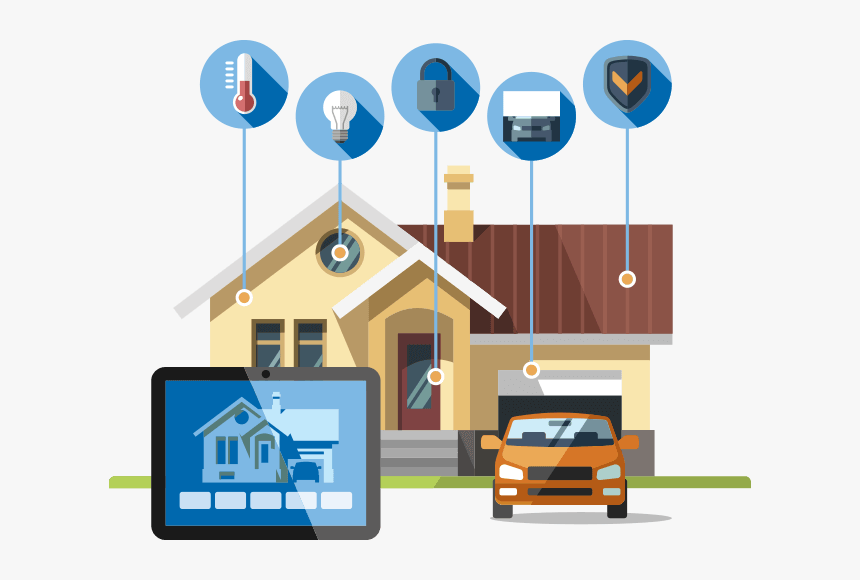
In today’s digital world, the Smart Home revolution is reshaping the way we live, offering unparalleled convenience, control, and connectivity. From voice-activated assistants to intelligent thermostats and connected lighting systems, Smart Home technology enhances comfort and efficiency. However, as homes become smarter, they also become more vulnerable to cyber threats and security breaches. Ensuring your Smart Home remains safe and protected is crucial for maintaining privacy, data integrity, and peace of mind.
This comprehensive guide dives deep into Smart Home security, exploring potential risks, protection strategies, and expert tips to safeguard your connected lifestyle.
Understanding the Importance of Smart Home Security
A Smart Home operates through a network of interconnected devices — cameras, locks, lighting, thermostats, and even refrigerators — all communicating through the internet. While this interconnectivity offers convenience, it also creates potential entry points for cybercriminals.
Without proper protection, a hacker could gain access to your personal data, monitor your activities, or even control your Smart Home devices remotely. Therefore, understanding the security landscape of your Smart Home ecosystem is the first step toward protection.
Why Cybersecurity Matters for Smart Homes
The more devices you connect, the greater the number of potential vulnerabilities. Each connected device serves as a gateway into your network. Cybersecurity for your Smart Home is not just about protecting gadgets; it’s about safeguarding your lifestyle, privacy, and personal information.
Key reasons why Smart Home security is vital include:
- Protection against unauthorized access
- Prevention of data theft and identity fraud
- Ensuring safe operation of connected devices
- Maintaining trust in technology and automation
Common Security Threats in Smart Homes
Despite their convenience, Smart Home devices can be targets of various security threats. Understanding these risks allows homeowners to take proactive steps to strengthen their defenses.
1. Unauthorized Access
Hackers often exploit weak or default passwords to gain entry into your Smart Home network. Once inside, they can control lights, cameras, or other connected devices, posing serious privacy risks.
2. Data Breaches
Many Smart Home devices collect data about your habits, routines, and preferences. If this data is not encrypted, it can be intercepted and misused by cybercriminals.
3. Malware and Ransomware Attacks
Some malicious actors use malware to infiltrate Smart Home systems, locking devices until a ransom is paid. These attacks can disrupt normal home operations and compromise sensitive data.
4. Weak Network Security
Unsecured Wi-Fi networks are often the primary entry point for attackers. A poorly configured router can allow intruders to access your Smart Home devices with ease.
5. Outdated Firmware
Neglecting to update your device firmware leaves your Smart Home open to known vulnerabilities that hackers can exploit.
How to Secure Your Smart Home Devices
Building a secure Smart Home requires a proactive approach that combines technical measures, good habits, and awareness. The following strategies can help you protect your network and devices effectively.
1. Strengthen Your Wi-Fi Network
Your Smart Home security begins with your Wi-Fi network. Change the default router name and password, and create a strong passphrase using a mix of letters, numbers, and symbols. Enable WPA3 encryption to ensure a high level of protection.
2. Use a Separate Network for Smart Devices
Consider setting up a dedicated Wi-Fi network for your Smart Home devices. This separation keeps your main devices, such as laptops and smartphones, isolated from potential vulnerabilities within the Smart Home system.
3. Enable Two-Factor Authentication (2FA)
Adding an extra layer of authentication significantly reduces the chances of unauthorized access. Many Smart Home apps now support 2FA for better protection.
4. Regularly Update Firmware and Software
Manufacturers often release updates to patch security flaws. Always keep your Smart Home devices updated to minimize risks of exploitation.
5. Avoid Public Wi-Fi for Control Access
When accessing your Smart Home system remotely, avoid using public Wi-Fi networks. Instead, use a secure mobile connection or a trusted VPN service.
6. Use Strong Passwords
Every device and account linked to your Smart Home ecosystem should have a unique, strong password. Avoid using personal details or easily guessable combinations.
7. Disable Unused Features
Some Smart Home devices come with unnecessary features that could create vulnerabilities. Disable any functions you don’t use to reduce potential attack points.
8. Monitor Device Activity
Keep an eye on your Smart Home network through your router’s management interface. Monitoring connected devices helps you identify unfamiliar or suspicious activity early.
9. Purchase Devices from Trusted Brands
Reputable manufacturers usually invest more in security protocols. Choose Smart Home products that offer end-to-end encryption, reliable updates, and transparent privacy policies.
10. Secure Voice Assistants
Voice assistants are often the heart of a Smart Home setup. Change default wake words, review privacy settings, and ensure voice recordings are automatically deleted regularly.
Building a Strong Foundation for Smart Home Security
A truly secure Smart Home isn’t just about individual devices but about how they all interact within the ecosystem. Following a layered security approach offers comprehensive protection.
Layer 1: Network Security
Your Wi-Fi router serves as the gateway to your Smart Home. Secure it with advanced settings, disable remote management, and use strong encryption.
Layer 2: Device Security
Each Smart Home device must be individually secured through regular updates, strong passwords, and privacy-conscious settings.
Layer 3: Application Security
Use only official apps and enable available security features within them. Avoid third-party apps that could compromise your Smart Home network.
Layer 4: Physical Security
Physical protection remains vital. Prevent unauthorized people from accessing your devices, routers, or control hubs in your Smart Home setup.
Smart Home Privacy Concerns and How to Manage Them
Beyond hacking, privacy is another key issue in the Smart Home world. Many devices constantly listen, record, and analyze your behavior to enhance functionality. While this improves convenience, it can also raise privacy concerns.
To protect your privacy:
- Regularly review privacy settings in each Smart Home app
- Turn off microphones or cameras when not needed
- Use privacy screens and filters
- Check data-sharing permissions
Transparency is essential — always understand how your Smart Home device manufacturer handles your information.
The Role of AI in Smart Home Security
Artificial Intelligence plays a growing role in securing Smart Home environments. AI-powered systems can detect unusual patterns, identify potential threats, and respond automatically. For example, if your Smart Home detects an unusual login attempt or strange activity, AI can lock devices or alert you in real time.
AI also enhances automation in your Smart Home, enabling smarter decisions about device operation, energy use, and safety. However, it’s important to ensure AI-driven features are securely configured to prevent misuse.
The Future of Smart Home Security
The evolution of Smart Home technology shows no sign of slowing down. As devices become more intelligent, security must evolve alongside them. The future will bring advancements such as biometric access control, blockchain-based encryption, and enhanced machine learning algorithms designed to detect and neutralize threats instantly.
Manufacturers and consumers alike must adopt a security-first mindset to ensure that Smart Home technology continues to enhance our lives safely and efficiently.
Best Practices for Maintaining Long-Term Smart Home Security
Long-term protection of your Smart Home requires consistent vigilance. Here are key practices every homeowner should follow:
- Conduct periodic security audits of your Smart Home setup
- Replace devices that no longer receive firmware updates
- Use smart plugs and power switches with security certifications
- Keep up with industry news and emerging threats
- Educate family members about Smart Home security basics
Your Smart Home is only as strong as its weakest link. Regular attention and maintenance can prevent future security breaches.
Smart Home Security Checklist
A well-protected Smart Home includes:
- A secure, encrypted Wi-Fi network
- Strong, unique passwords for all devices
- Regularly updated firmware and software
- Enabled two-factor authentication
- Secure control hubs and routers
- Privacy settings configured for all devices
- Reliable backups of important configurations
Reviewing this checklist monthly can ensure that your Smart Home remains secure and efficient.
Conclusion
The Smart Home has transformed the modern living experience, offering unprecedented convenience, control, and customization. However, as our homes become smarter, so must our approach to security. Protecting your Smart Home is not a one-time effort — it’s an ongoing process of awareness, updating, and adapting to emerging threats.
By implementing robust security practices, using trusted devices, and staying informed, you can enjoy the full benefits of your Smart Home while keeping your data and privacy safe. Deep Dive Picks believes that a secure Smart Home is a smart choice for every modern homeowner. Find everything you need to know on our main site.
Frequently Asked Questions
1. How can I make my Smart Home more secure?Use strong passwords, update firmware regularly, enable two-factor authentication, and keep devices on a separate Wi-Fi network.
2. Can hackers access my Smart Home devices?Yes, if devices are not secured properly. Hackers often exploit weak passwords or outdated firmware to gain control.
3. Is it safe to use voice assistants in a Smart Home?Yes, as long as you manage privacy settings carefully, delete recordings frequently, and use secure accounts.
4. What is the most common Smart Home security vulnerability?Weak Wi-Fi security and outdated device software are the most common vulnerabilities in Smart Home systems.
5. How often should I update my Smart Home devices?Check for updates monthly and apply them as soon as they’re available to keep your Smart Home protected.